

1
Select Your Plan
Navigate to Dashboard → Residential.
You’ll see all active plans displayed, with remaining bandwidth and used bandwidth.Choose the plan you want to use: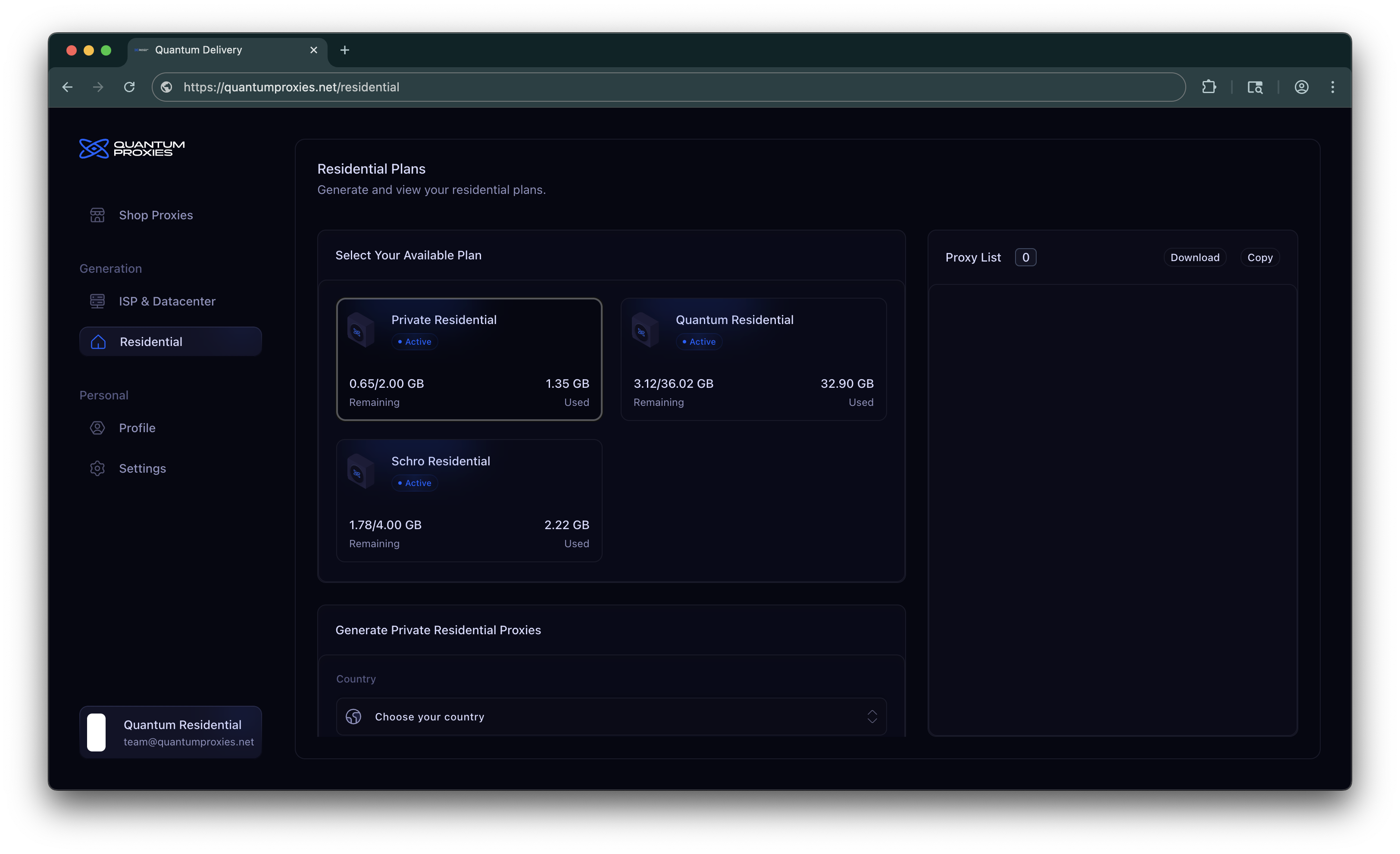
You’ll see all active plans displayed, with remaining bandwidth and used bandwidth.Choose the plan you want to use:
2
Configure Your Settings
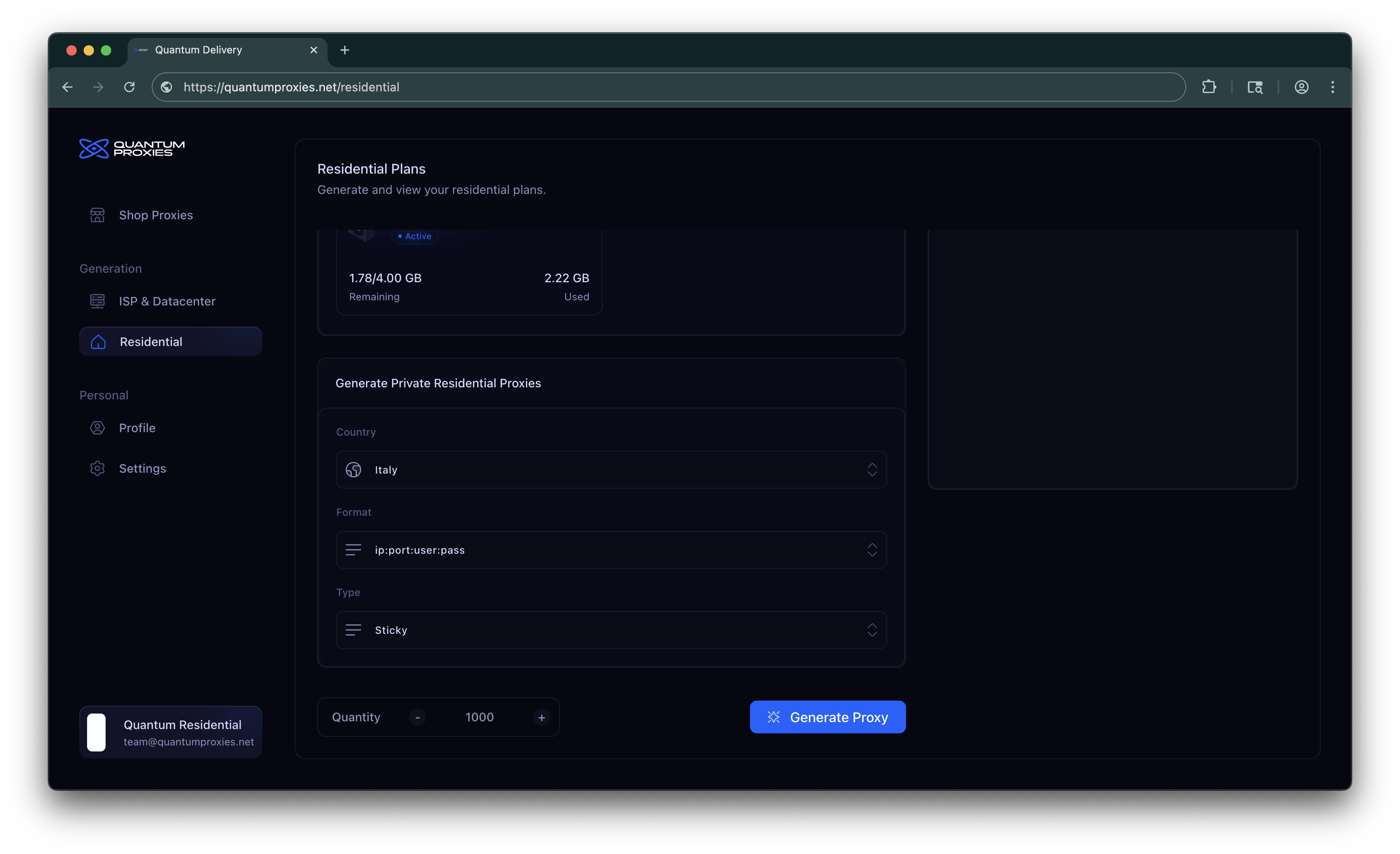
In the Generate Pool Name Residential Proxies panel, you can customize:
- Country → Choose the country you want your proxies to come from.
-
Format → Decide how they are displayed (e.g.,
ip:port:user:pass). - Type → Select Rotating (change automatically) or Sticky (hold the same IP for a period).
- Session Time → On Sticky, how long that IP is held (depends on the plan).
- Session Mode → On Quantum Premium Sticky only. Chooses what happens if the exit behind that IP fails. See Session Mode.
-
Quantity → How many proxies to generate in one batch (Up to 5000 proxies).
3
Generate
Click Generate Proxy and your proxies will appear in the Proxy List.From there, you can:
- Copy them to clipboard.
- Download them as a
.txtfile.
4
Check usage
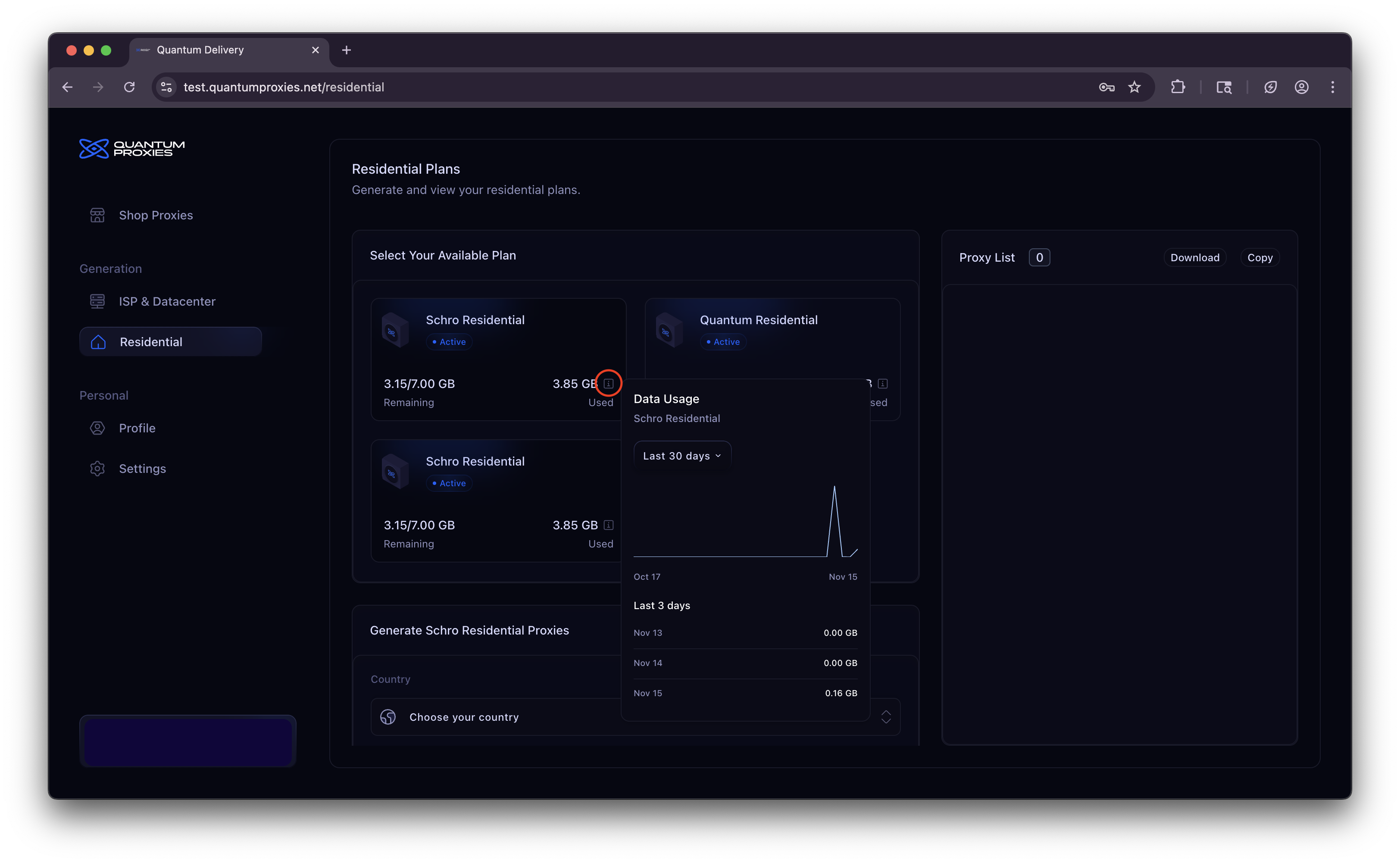
You can check your total and daily usage:
- Total usage is showing in “Remaining” section of every Residential plan box.
-
Daily usage is showing when clicking the “(i)” icon in the “Used” sectin of every Residential plan box. In some Residential plans you are able to check daily usage of the last 30/60/90 days.
Session Mode
Session Mode is available on Quantum Premium, and only for Sticky proxies. It controls what happens when the exit behind your sticky IP fails mid-session — a dropped connection, a dead node, or a timeout on the proxy side. It does not change how long the session lasts. Session time is still 30, 60, 120, or 240 minutes. Rotating proxies are unchanged: every request already uses a new IP.Session Mode is written into the proxy string when you generate it. A list you already generated keeps the previous behavior until you generate again.
What it reacts to
Session Mode reacts when the exit fails. A403 or 429 from the website is the site answering you. That response does not count as an exit failure, and it does not rotate the IP.
Modes
Default
The first exit failure replaces the IP and the request continues. Use this for volume — scraping, checking, any job where a working exit matters more than keeping the same one. This is what Quantum Premium sticky proxies already did. Leave Default selected unless you need Flex or Keep IP.Flex
The same IP stays up through exit failures. You choose how many failures in a row it absorbs before it switches:3, 5, 10, 15, 25, 50, 100
If you do not pick a number, the limit is 15. On the API, pass session_errors as any whole number from 1 to 100. Omitting session_errors on a Flex proxy also uses 15.
A lower number drops a dying node quickly. A higher number holds an IP that only blips. Use Flex when you have already warmed that IP — cookies, a login, a few clean requests — and one timeout should not throw it away.
In the dashboard, Flex opens a second dropdown: Errors Before IP Switch.
Keep IP
The exit IP is pinned for the whole session time. If the exit fails, the proxy returns472 or 475 and does not switch. Retry the same proxy string and you are on the same exit.
Use Keep IP when the site has bound you to that IP: a Cloudflare clearance, a solved captcha, a browser profile, or a logged-in session. A new IP makes that clearance useless, so the client should see the error and retry.
Pick it in the steps above: Quantum Premium, Type set to Sticky, Session Mode under Session Time.
Generate from the API
GET /v1/residential/{product_id}/proxies
sessionmode flag. The string looks like any other sticky proxy.
The same parameters work on the hosted MCP tool generate_residential_proxies (session_mode, and session_errors for Flex).
Resetting your proxy credentials
If your proxy username and password leak, or you just want to rotate them, you can regenerate the credentials for a plan from Dashboard → Settings → Reset Proxy Authentication.1
Open Settings
Go to Dashboard → Settings. The Reset Proxy Authentication card lists each of your active residential plans.
2
Click 'Reset' on a plan
A new password is generated for that plan instantly. Newly generated proxies will use the updated credentials.